Maths that runs
Write $\sum_{i=1}^{n} i^2$ and it is a Lua expression. The compiler preserves line numbers, so an error points at your source, and operators like \Summarize_{\Psi} compose with \circ.
Ohm puts a language inside the browser. Maths is an expression, tabs are a matrix, and an AI operator is something you compose.
18 guides · 6 reference pages · 49 operators · 452 specification nodes
A screenshot, captured from a running build
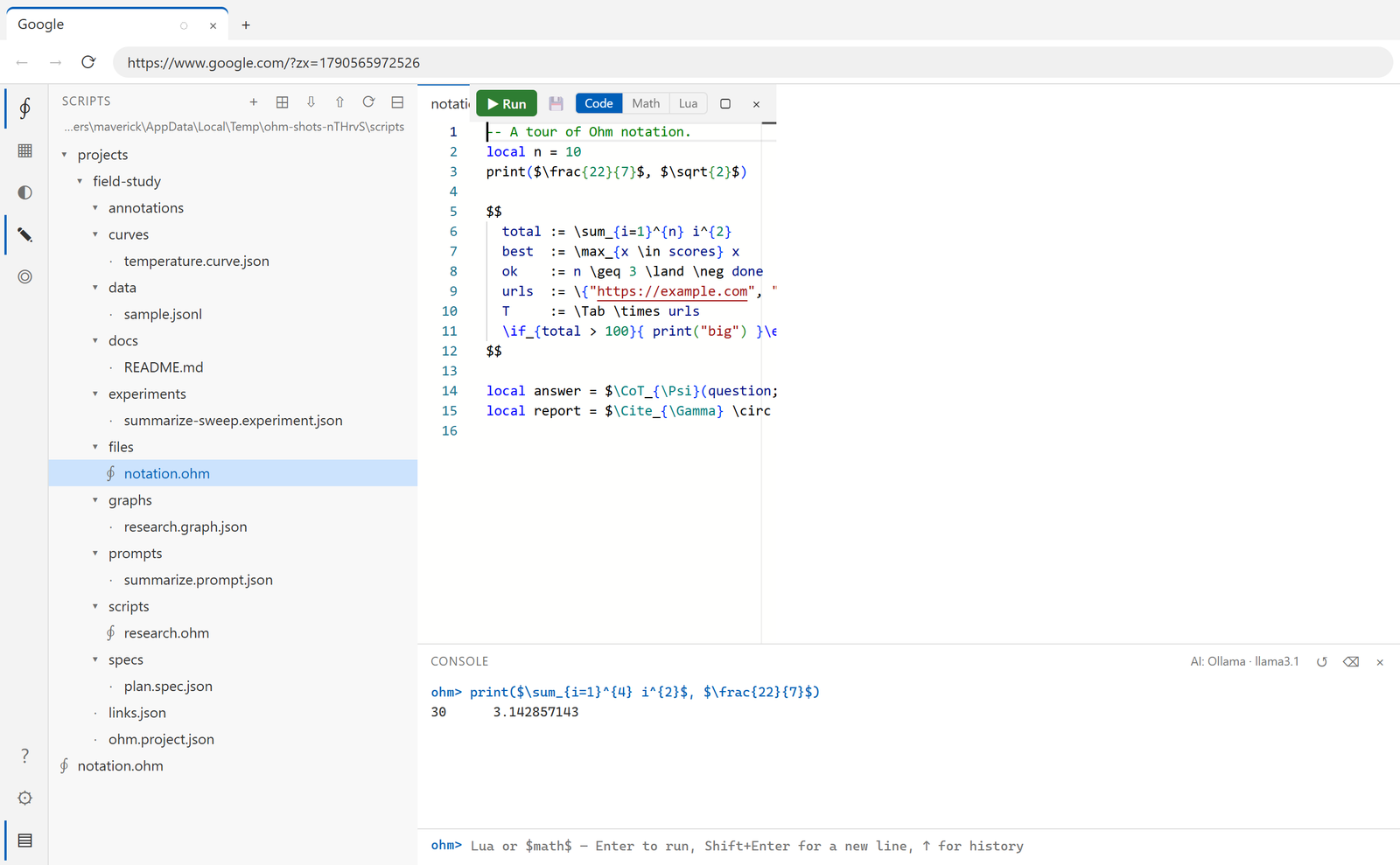
Every screenshot in this documentation is generated by driving a real build, so none of them can go stale quietly.
Ohm is a browser for people whose browsing is work: reading, gathering, comparing and writing it up.
Write $\sum_{i=1}^{n} i^2$ and it is a Lua expression. The compiler preserves line numbers, so an error points at your source, and operators like \Summarize_{\Psi} compose with \circ.
Read any page as structure — headings, links, inputs, buttons, forms — then combine tabs with set operators and apply an AI operator across the result. What you click, the panel shows you as Ohm.
Prompts with typed variables, experiments that sweep them, curves, graphs, hierarchical specs and annotated PDFs — each a plain file in a folder you own.
Ohm is built to outlive Electron: one package may import it, and a build check enforces that, so the engine can become a Chromium fork without touching the rest. And everything you make is a plain file in a folder you can read, diff and back up — no database, no hidden store, nothing that needs Ohm to open it.
And where to go next.
A browser built on Chromium with a scripting language inside it: Lua 5.4 with LaTeX maths. $\frac{22}{7}$ is an ordinary expression, and \CoT_{\Psi}(question; context) calls a language model. It is a research tool that happens to be a browser.
In plain files, in a folder you own — Documents/Ohm by default. Scripts, projects, annotations and prompts are all readable, diffable and git-friendly. Nothing is hidden in a database, and the data, browser-profile, scripts and models folders can each be moved.
Only what you ask it to. Model calls go to whichever profile you configure — including entirely local ones through Ollama or embedded llama.cpp. Sending results to a REST endpoint is behind a master switch that is off until you turn it on, and while it is off no request is attempted at all.
Not yet. It is Electron today, written behind an engine interface so it can become one: exactly one package is allowed to import Electron, and a check fails the build if anything else does. Page automation already speaks raw CDP for the same reason.
Yes — press ? in the activity bar. It is the same site, compiled into the application, so a build always ships the documentation that matches it.