Library and remote endpoints#
Two settings pages that scripts lean on: a library of reusable prompts, functions and view templates, and remote endpoints for sending results somewhere.
The library#
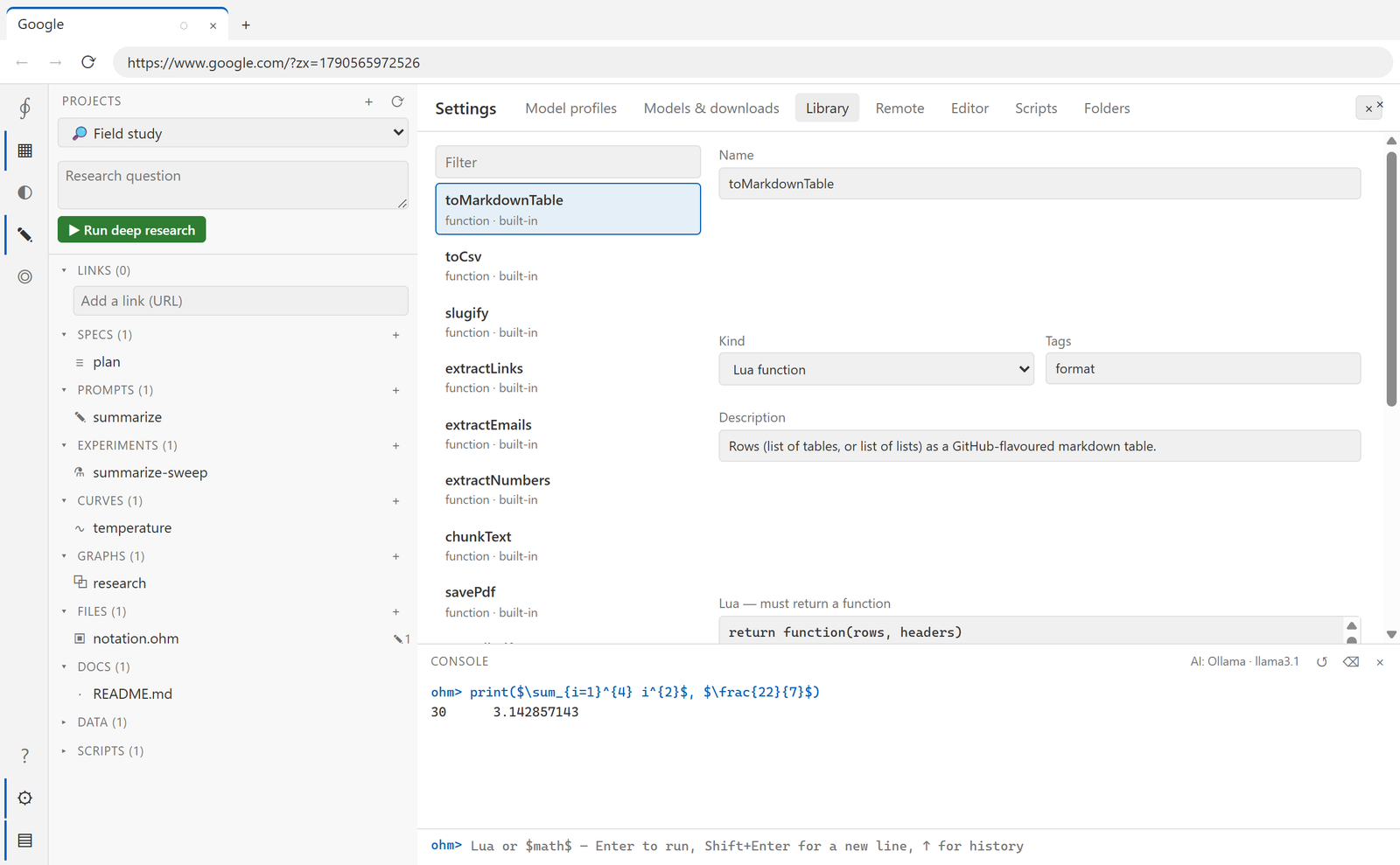
Settings → Library. Each entry is one of three kinds:
| Kind | What it is |
|---|---|
| prompt | text with {{variables}}, sent to a model |
| function | Lua source that returns a function |
| template | a view template — the same {{…}} spelling, plus {{#rows}}…{{/rows}} sections |
Ohm ships a starter set, and your edits layer over it — deleting an edited built-in restores the shipped version.
Two prompt entries are load-bearing rather than decorative: boltToOhm and boltRetry
are what Bolt means. Editing them changes the language.
From a script:
local links = lib.use("extractLinks")        -- a function entry
print(#links(tab.text()))

local summary = lib.run("summarize", { text = tab.text(), sentences = 3 })   -- a prompt entry
print(lib.render("summarize", { text = "…" }))                              -- render without sending
or as an operator, which is handy inside math:
$ \Use_{\Psi}(\text{summarize}; args=\{text=pageText\}) $
What ships:
| Kind | Entries |
|---|---|
| Formatting | toMarkdownTable, toCsv, slugify, tidyMarkdown (prompt) |
| Extraction | extractLinks, extractEmails, extractNumbers, chunkText, extractFields (prompt) |
savePdf, saveAllPdf |
|
| Analysis | summarize, compare, translate, axialCodes (all prompts) |
tab.pdf(path) underneath savePdf prints a page through the browser's own engine, so it
works on anything you can open — including a hidden tab:
local file = lib.use("savePdf")("https://example.com", "example.pdf")
local many = lib.use("saveAllPdf")(urls, "reports")
Editing an entry is the point: the shipped prompts are a starting wording, not a contract.
Remote endpoints#
Settings → Remote describes REST services that behave like a filesystem — read a path, write a path, list a folder — each under a nickname.
An endpoint is a base URL, an auth method (bearer token, API-key header, basic, or none) and
three path templates where {path} and {dir} are substituted:
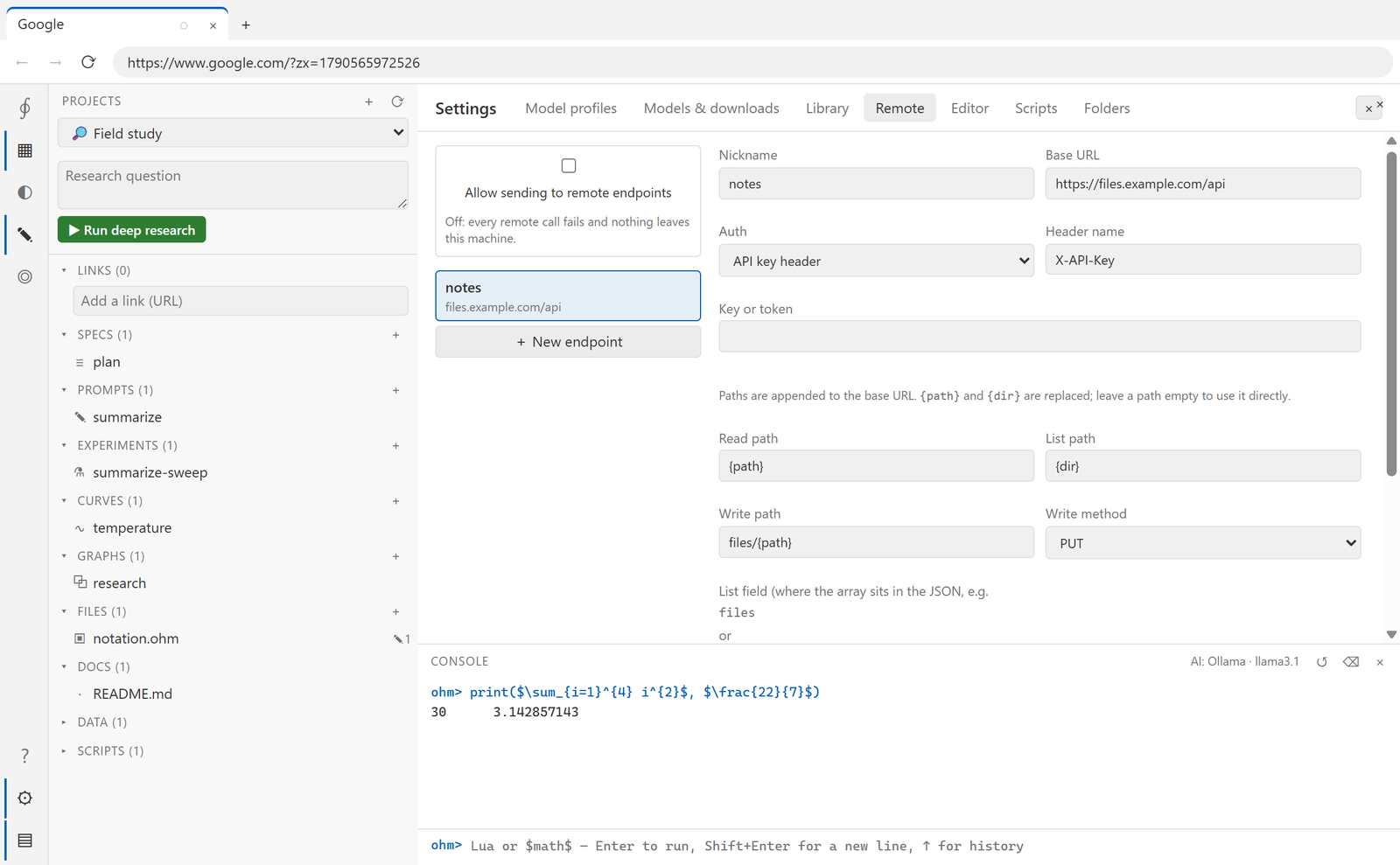
| Field | Example |
|---|---|
| Base URL | https://files.example.com/api |
| Read path | {path} → GET /api/notes/a.md |
| Write path | files/{path} with PUT or POST |
| List path | {dir} |
| List field | data.items — where the array sits in the JSON |
The key is stored encrypted by the OS, like every other credential: the UI can set or clear it but never read it back, and no script can either.
for _, name in ipairs(remote.names()) do print(name) end
local text  = remote.read("notes", "a/b.md")
local items = remote.list("notes", "a")
remote.write("notes", "out.md", summary)
\Read_{\Gamma}(path; from="notes") and \Publish_{\Lambda}(text; to="notes", path="out.md")
are the same thing in math.
The switch#
At the top of the Remote page: Allow sending to remote endpoints, off by default.
While it is off, every remote call fails immediately with
Remote endpoints are switched off (Settings → Remote). Nothing was sent.
and no request is made — not even a connection attempt. Turning it off is therefore a real stop, not a preference: it is the one place to check before running a script you did not write.
Test on an endpoint does a single list request and reports what came back, so you can tell a wrong path from a wrong key without running a script.